How We Built HYBRD as a (Mostly) Non-Technical YC Startup
9 MIN READBEN KATZ
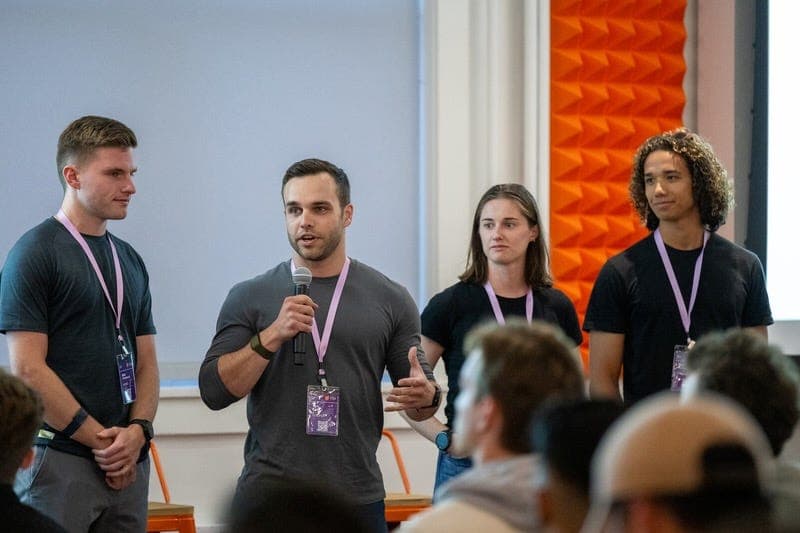
When we got accepted into Y Combinator, we had no product, one engineer, and just 10 weeks until demo day.
Panicked about the timeline, we considered hiring a contract developer. But when we brought this to our group partner, Dalton Caldwell, his response was blunt:
That’s big company bullsh*t, guys. With the AI tools available today, every one of you should be able to contribute to the codebase.
He was right, and taking this advice was the best decision we ever made.
Background on HYBRD
HYBRD is a team of four co-founders that went through the Y Combinator Fall 2024 batch. We were very different from the average YC company; fitness tech is uncommon, four co-founders is uncommon, and 3/4 of those co-founders being non technical is pretty much unheard of.
Although most of our team wasn’t technical, it’s fair to call us “technical adjacent”. Ben led growth product at WHOOP. Mats worked on several core product teams there. Shoe was a senior analytics manager there as well. All of us had technical exposure, but none of us were writing code, aside from Shoe using Python for analysis
The tools we use to build as non-technical founders
This post was written in March of 2025, and the space is evolving fast, so by the time you read this, it may already be out of date.
There are five primary AI coding tools that our non-technical team members use to help them write code effectively.
The best part of Replit is that it “just works” out of the box. As a non-technical founder I can build, iterate on, and deploy a product with little to no help from an engineer. We use Replit to make some of the little tools we give away as freebies for marketing purposes (ex roastmyworkout.com). The downside of Replit is that you reach the cap of its capabilities relatively quickly and oftentimes need to move the project to another tool before you can finish it. I consider it great “demo ware” but it’s not much deeper than that.
Similar to Replit, V0 is a great platform for quickly spinning up sleek, branded marketing pages and freebie products (ex. hyrox.hybrd.com). I’ve found that V0 has a more robust component library than many alternative tools and thus excels at front-end work. Like Replit, it lacks the depth needed for more complex projects, but you can still get pretty far with it.
Cursor is where the real magic has happened for us. Cursor is a code editor forked from VS Code (a popular IDE) where AI can interact with your code base. It’s like having ChatGPT directly in the codebase with you — you can ask it questions, have it find files for you, write code based on a description of the functionality you want, and more. This is the tool our entire team uses the most.
Magic Patterns is an AI design tool. You can describe what you’re looking to build, drop in a screenshot of your UX and ask it how to modify it to accomplish a certain task, etc. and it will create high-fidelity designs for you all through natural language prompting. Tools like Cursor and Replit are great for the development side but they are not particularly good designers — Magic Patterns can help you bridge that gap and clean up the experience.
Greptile is an AI code review bot. Whenever someone puts up a PR, Greptile reviews that PR and will flag potential issues or improvements. It’s not perfect and won’t catch everything but especially when you have non-devs contributing to your code base it will catch a lot of the low-hanging fruit errors that they make which saves the technical partner time. It even catches errors from the technical partner occasionally!
Things to understand when getting started
Our team would not be as effective as it is if we didn’t have our CTO’s technical expertise and guidance. A few things that are important to note about setup and processes that have worked well for us.
- Our CTO helped us get started. Setting up a local environment, an iphone simulator in our case, getting access to the testing environments, etc. can be prohibitively difficult if you are not technical, so you’ll want to have technical support.
- Our CTO gave a “git 101” and “linux 101” info session for the non technical folks. It doesn’t need to be overly complicated, but they need to understand the basic principles of version control and how to navigate around a terminal. I’d recommend they take notes and maintain a cheat sheet of standard operations (git push, git pull, ls, cd, git status, how to deal with merge conflicts, etc.). Here’s a high-level overview YouTube video that can be helpful as well.
- Frontend tends to be better for our non-technical folks because there is a visual feedback loop for the code they write and whether it had the intended effect or not. Bonus points for using react native so that the simulator live reloads every time they change the code.
- Our CTO is responsible for assigning work to the non-technical folks. It’s easy for non-technical people to spin their wheels for hours on end with little to no progress because they don’t know any better, but the technical person will get a feel pretty quickly for what is too difficult for them to do in cursor.
- In the tickets that our CTO makes, he gives a rough outline for how the task should be completed. It can be as simple as “to make this feature you should make three files where file 1 does X, file 2 does Y, file 3 does Z.” The non-technical person will end up dropping that straight into Cursor. Chances are, your technical founder is already skilled at breaking down complex tasks for junior engineers; it’s a core part of any senior engineer’s role.
- All PRs from a non-technical founder are reviewed by our CTO before being merged. Non technical founders should not have the ability to push a branch to main. Tools like Greptile make this process more efficient and save hours of review time for the technical founder — use them!
- It’s important for the technical founder to remember that even though the code looks like it was written by a junior dev, the non-technical founder doesn’t actually understand it. Communicate PR feedback as simply as possible and give instructions that are intended to be copy and pasted into the AI (this is particularly helpful as more technical prompts oftentimes yield better code).
The workflow of the non-technical founder when coding
As a non-technical founder, here’s what my workflow looks like when writing code.
- Identify relevant files. I start by understanding the file structure. Cursor is much more effective when you hand feed it the files that are relevant to a particular feature. I’ll prompt Cursor and ask which files are relevant, and also ask my technical partner if there are any other files I should be aware of. Over time, you start to intuitively understand the file structure of your code base and know which files hold what logic and this becomes super fast.
- Identify relevant code. I then ask Cursor where in those files is the logic that I am looking for.
- Understand the logic. If it’s not obvious, I ask Cursor to explain that logic, and ask follow up questions as needed until I’ve wrapped my head around it. You can guide the prompt down to your level by telling it that you’re not an engineer by training and want the logic explained without technical jargon.
- Give my instructions. I tell Cursor how I want the logic to work or what I want to change. I use screenshots whenever possible. A common workflow I’ll use is to drop an existing screenshot of my app into magic patterns, explain that I want to add a button or modal or whatever the change is, it will create a mockup, and then I can screenshot that mockup and drop it into Cursor with instructions on implementing it. I usually stick to regular chat mode — Composer can be hard to rein in and sometimes makes unintended sweeping changes.
- Troubleshoot. When I get stuck and need to troubleshoot, I take the error messages I’m getting and feed them back to Cursor explaining “I’m getting this error, can you help me fix it?”. Sometimes it will fix it on its own in one shot, but not always. If it struggles to fix it, here are a couple next steps I use:
a. Make sure I have all the relevant context attached to the prompt. Missing files can cause Cursor to have issues.
b. Try switching the model that you’re using in Cursor.
c. Drop the code and the error message into chatGPT or Claude externally from Cursor and ask it questions to help you better understand what is happening, why that might be happening, and things you can try to fix it. Then drop those things to try into Cursor.
d. Know when to ask for help! It’s not worth wasting a full day banging your head against the wall. - Await Feedback from technical partner. Once I have the functionality working, I submit a PR that includes screenshots of the app post changes (via simulator or dev environment) and explain the changes I made in the PR writeup. I then wait for (inevitable) feedback from my technical partner and implement them when they come.
Principles From Our Technical Founder
To make these workflows smooth and not an overwhelming time commitment for our CTO, he put in place a few basic principles we use to guide us.
- You code it, you test it. Everyone has high-ownership of their code, even the non-technical founders. Not fully understanding the code is not an excuse. Nothing should be committed for the CTO to review without it being tested by the individual that wrote the code.
- Test builds thoroughly before shipping them to users. We have an extensive “QA checklist” that we work together on to test before making a new build available to users. Bugs still happen (it’s inevitable) but this helps us keep a high quality bar for our users.
- We optimize for long-term velocity, not just short-term output. Yes, our CTO can code better and faster than everyone else on the team, but our overall output would be lower if he tried to just do it all himself. By investing the time to put these systems in place and teach us the basics, this process becomes more sustainable and our long-term product velocity increases, which benefits our users.
Conclusion
Realistically, I’m probably as productive as an engineering intern used to be. While I may be a newbie, I’ve been able to make over 250 contributions to our code base in the first five months, which adds up to a lot of productivity we otherwise would not have had or would have had to pay top dollar for.
The beauty of AI is that it makes us more efficient at the things we are already good at and it opens up the ability to do things that we previously couldn’t dream of (in this case, coding). It’s safe to assume that the worst AI will ever be going forward is today, and that the barriers of entry to get your hands dirty while building as a non technical founder will continue to drop.
With no barriers to entry, agency and bias to action will determine the winners. Get your hands dirty. Go fast. Talk to customers. Build something your users love.